How to Sell Products Online – The Ultimate Guide for Beginners (2026)
Category: Guides
How to Sell Products Online – The Ultimate Guide for Beginners
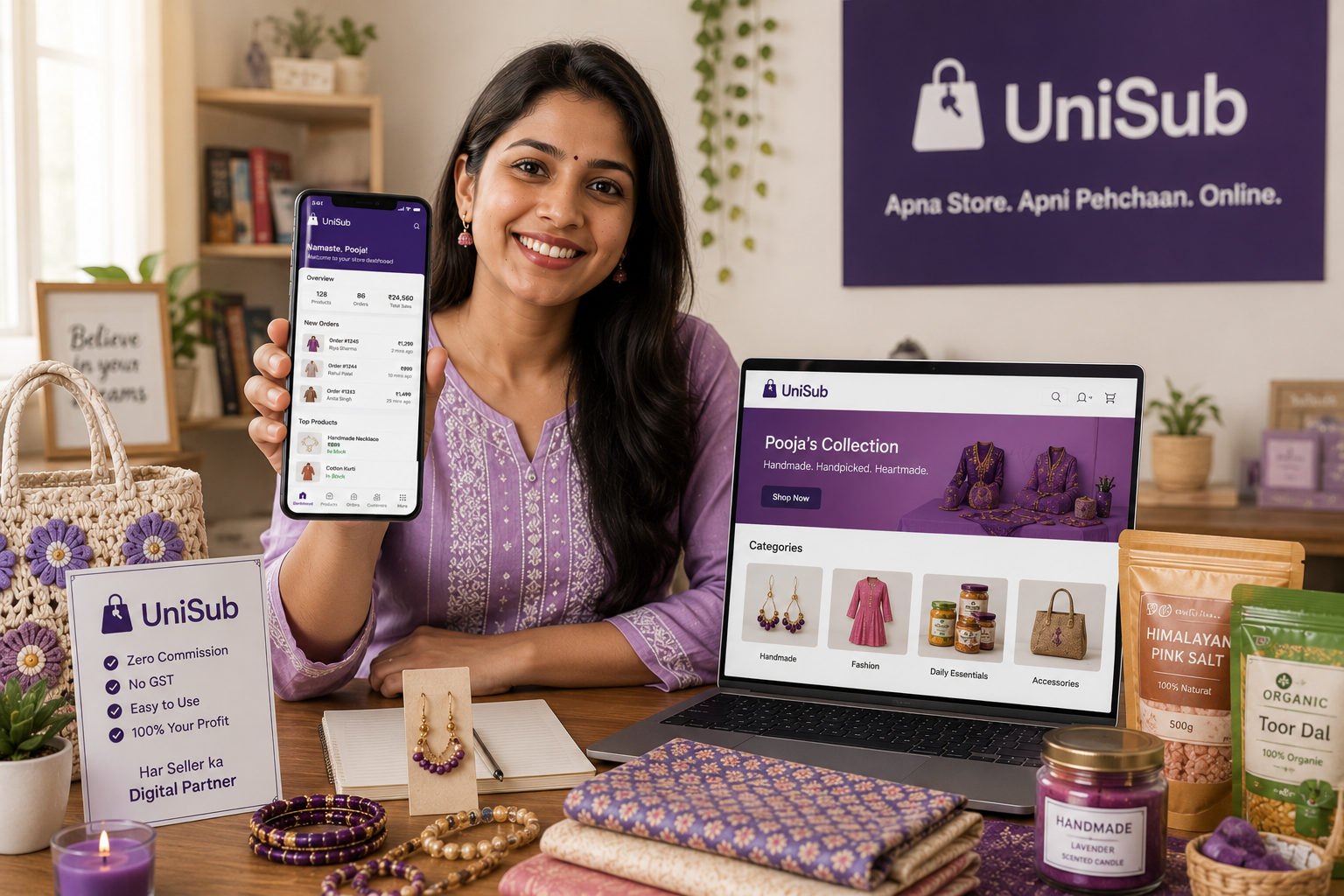
Thinking about selling online but unsure where to start? You’re not alone. The e‑commerce boom in India has made it possible for anyone — a student, homemaker, local shopkeeper, or artist — to sell products online for beginners without any prior experience or a huge budget. This ultimate guide will walk you through every step, from choosing what to sell to setting up your own branded store on UniSub — a local subscription platform that gives you a free, zero‑commission online store, doorstep delivery, and subscription tools to earn recurring income. No technical skills, no middlemen, no hidden fees.
Why Sell Products Online?
Going online isn’t just for big brands. For a small seller, it unlocks opportunities that a physical shop alone never can:
- Wider Reach: Sell across your city, state, or all of India — no location limits.
- Lower Costs: Skip the expensive rent, electricity bills, and extra staff. A smartphone and your products are enough.
- Flexibility: Run your business from home, at your own pace. Whether it’s a side hustle or a full‑time venture, you set the hours.
- Always Open: An online store never closes. Customers browse and order even while you sleep.
- Direct Customer Relationships: Unlike large marketplaces that hide buyer data, UniSub gives you full contact details — so you can build a loyal community, not just make one‑time sales.
The Three Common Paths for Beginners – Which Is Right for You?
When you first explore how to sell products online, you’ll encounter three broad approaches. Each has trade‑offs. Let’s look at them honestly.
| Method | What You Get | The Catch |
|---|---|---|
| Large Online Marketplaces | Ready‑made traffic, quick listing | High commission (15‑30%), no customer data, your brand is invisible, intense competition |
| Social Media (WhatsApp, Instagram) | Free to start, personal touch | Manual order management, payment uncertainty, no professional storefront, hard to scale |
| Your Own Branded Store (UniSub) | Free, zero commission, full customer data, doorstep delivery, subscription engine, SEO visibility | None – complete control and ownership |
For a beginner who wants long‑term growth, building your own store on a seller‑friendly platform is the clear winner. And that’s exactly what UniSub offers — without any technical complexity or upfront investment.
Why UniSub Is the Perfect Launchpad for New Sellers
UniSub is built specifically for Indian small businesses, not for global corporations. It’s a local commerce digitization platform that lets you set up a branded online store in minutes, straight from your mobile. Here’s what makes it stand out:
- Free Store Setup: No registration fees, no monthly charges. You read that right.
- Zero Commission: Every rupee a customer pays goes directly to your bank account. You keep 100% of your earnings.
- Direct Customer Contact: Receive phone numbers and order histories. Build relationships, offer personalised discounts, and turn first‑time buyers into lifelong fans.
- Doorstep Delivery Network: You can deliver personally or use UniSub’s integrated local delivery partners. Your customers get fast, reliable service — and you stay in control.
- Subscription Superpower: Create recurring boxes like “Monthly Snack Hamper” or “Weekly Veggie Basket.” Customers subscribe, and orders repeat automatically. This feature alone can make your income predictable and scalable.
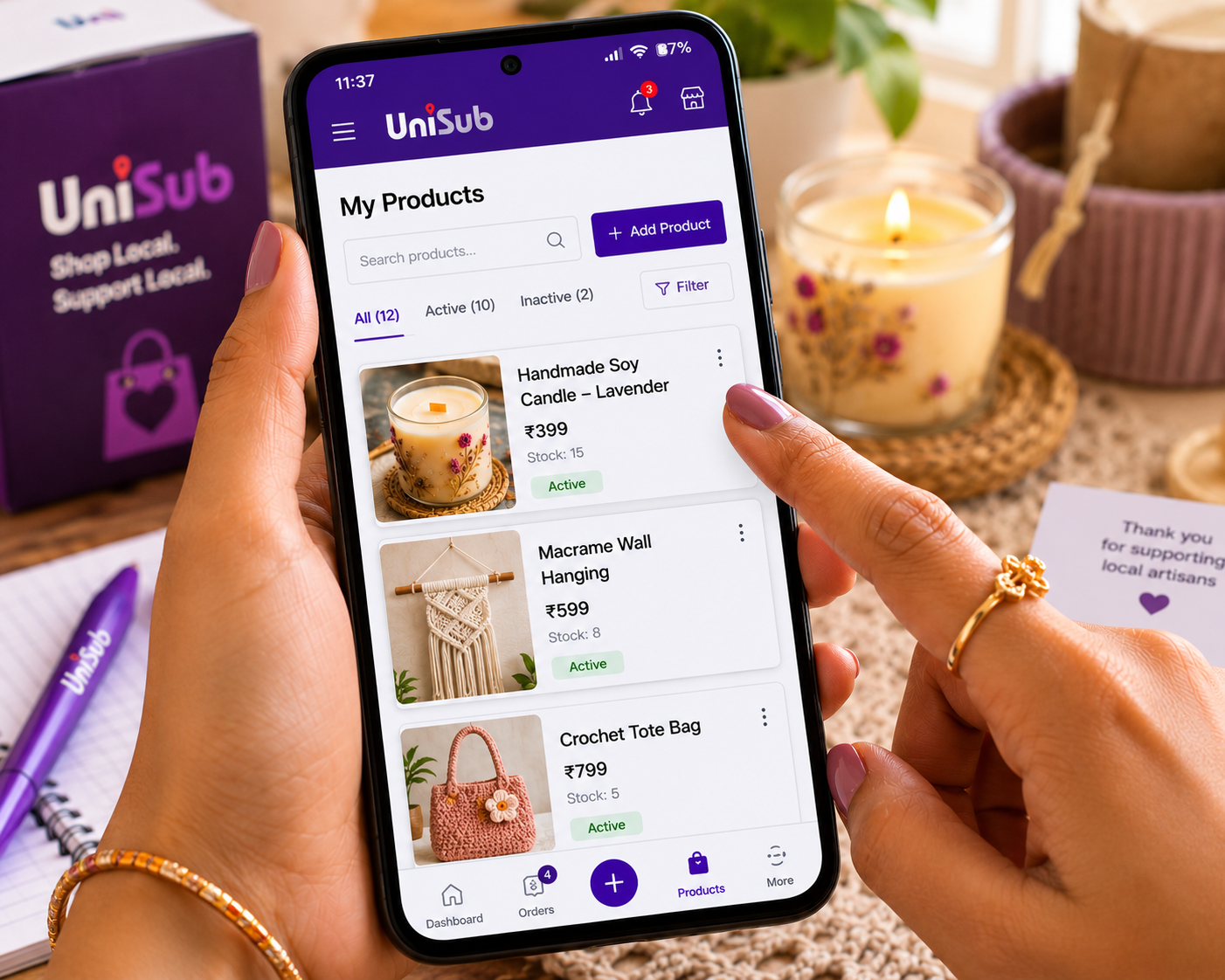
- Mobile‑First Management: Add products, update prices, track orders, and chat with customers — all from the UniSub app on your phone.
- Search Visibility: Your UniSub store appears on Google and in UniSub’s local discovery when people search to buy from nearby stores online.
Whether you’re in Shamli, Noida, Delhi, Gurugram, Pune, or anywhere in NCR, UniSub helps you support local businesses India while building a brand that’s truly yours.
Step‑by‑Step: How to Start Selling Online with UniSub
Step 1: Pick Your Niche and Products
Start with what you know and love — or what you already have in your shop. Popular beginner‑friendly categories include:
- Handmade crafts (candles, jewellery, paintings)
- Home‑baked goods, pickles, snacks
- Fashion and clothing
- Beauty and personal care
- Daily essentials and grocery
- Pooja samagri and festive decor
Choose products that are in regular demand, easy to package, and that you can confidently talk about.
Step 2: Create Your Free UniSub Store
Download the UniSub merchant app or sign up on the website. Enter your mobile number, choose a shop name, and fill in a few basic details. No documents, In under 10 minutes, your branded store goes live.
Step 3: Add Your Products Beautifully
Click clear photos with your phone against a simple background. For each product, write a short, honest description — mention size, material, and what makes it special. Set a fair price. Aim to upload at least 5‑10 products to make your store look inviting.
Step 4: Set Up Payments and Delivery
Link your bank account or UPI ID. UniSub supports online payments (UPI, cards, net banking) and Cash on Delivery. For shipping, either deliver yourself within your local area or use UniSub’s delivery network to reach customers across India.
Step 5: Market Your Store (Without a Big Budget)
- Share your store link everywhere — WhatsApp status, family groups, Instagram bio.
- Print your store’s QR code (provided by UniSub) on product packaging and visiting cards to convert offline buyers into online shoppers.
- Post consistently on social media about your products, behind‑the‑scenes moments, and happy customer stories.
- Run introductory discounts — a small “first‑order” coupon can work wonders.
- Tap into UniSub’s local discovery: Your store automatically appears to nearby users searching for “nearby stores”, bringing free organic traffic.
Step 6: Deliver Delightful Customer Service
Answer queries quickly, pack orders neatly, and always follow up after delivery. Because you have direct contact, you can build genuine relationships. Encourage happy customers to leave a review — it builds social proof for new buyers.
💜 The Subscription Advantage: Once you have a handful of regular buyers, consider launching a subscription box on UniSub. For example, a “Weekly Fresh Bakery Box” or “Monthly Beauty Surprise.” Set the price, schedule, and let UniSub handle the recurring orders. This turns casual shoppers into dependable monthly income — something no marketplace or social‑media‑only approach can offer.Real Success Stories – How Beginners Are Thriving with UniSub
- A home‑based jewellery maker in Meerut started with just 10 designs on her UniSub store. Within three months, she was getting orders from nearby cities, all through word‑of‑mouth sharing and Google discovery. Today, she runs a subscription “Earring of the Month” club with over 60 subscribers.
- A small grocery shop in Pune brought its entire inventory online during the festive season using UniSub. By offering a “Weekly Essential Kit,” the shop now serves 40+ families regularly, doubling its monthly revenue without any extra staff.
- A college student from Delhi began selling handmade tote bags and resin art through her UniSub store. Using Instagram reels and her store link, she built a following of young shoppers who love her unique designs — all while attending classes.
Common Beginner Mistakes to Avoid
- Skipping the store setup: Relying only on social media DMs to take orders quickly becomes chaotic. A proper store builds trust.
- Poor product photos: Blurry or dark images drive customers away. Natural light and a clean background are all you need.
- Ignoring customer communication: Since UniSub gives you direct contact, use it wisely. Quick, polite replies create loyal fans.
- Setting prices without research: Look at similar sellers, factor in your costs, and leave a healthy margin. Don’t undersell yourself.
- Not using the subscription feature: Many beginners miss out on predictable income. If your product is consumable or repeat‑use, a subscription box is gold.
Offline Store vs. Your UniSub Online Store – The Transformation
| Aspect | Traditional Shop | UniSub Online Store |
|---|---|---|
| Reach | Walk‑ins only | Pan‑India, 24/7 |
| Cost | Rent, electricity, helper | Free store, zero commission |
| Customer Relationship | Limited to memory | Full contact data, direct chat, repeat orders |
| Sales Hours | Fixed, often closed | Always open |
| Growth Engine | Word of mouth only | Built‑in subscription, local SEO, social sharing |

Frequently Asked Questions
1. Can I start selling online with zero investment?
Yes. UniSub lets you create and run your online store completely free. There’s no setup cost, no monthly fees, and no commission on your sales. All you need is a smartphone and your products.
2. Do I need a GST number to start selling online?
Not necessarily. If your annual turnover is under ₹40 lakh (for goods) and selling within state , you can sell without GST. UniSub offers a simple Enrollment ID‑based registration for eligible non‑GST sellers, so you can start immediately and get GST later when your business grows.
3. I’m not good with technology. Can I still manage an online store?
Absolutely. UniSub is built for shopkeepers, not developers. The entire setup — adding products, tracking orders, messaging customers — happens through an app that’s as easy as using WhatsApp.
4. How will customers find my store?
Share your unique store link and QR code on social media, with existing customers, and in local groups. Additionally, your store is visible in UniSub’s local discovery feed, so people searching to buy from nearby stores online can find you. Over time, your store also appears in Google searches.
5. Can I offer discounts and run promotions?
Yes. UniSub’s dashboard lets you create discount coupons, combo offers, and free delivery incentives. These tools are built right in — no extra cost.
6. What if I only want to sell within my city?
You have full control over your delivery radius. If you wish to serve only local customers, you can set your store to deliver within your preferred area, using your own delivery staff or UniSub’s local riders.
7. How do subscriptions work, and can a beginner use them?
Once you have a few products that people need regularly (like groceries, beauty items, or snacks), you can bundle them into a subscription box. Set a weekly or monthly schedule. Customers subscribe once, and UniSub automatically generates repeat orders. It’s a beginner‑friendly way to build stable monthly income.
Start Your Online Selling Journey Today – 100% Free
Thousands of beginners just like you have already built successful online stores with UniSub. Create your free branded store now, list your products, and reach customers with zero commission, doorstep delivery, and powerful subscription tools.
Create Your Free UniSub StoreNo investment. No commission. Just your products and your passion.
Related Resources & Internal Links
- How to Sell Products Online in India – Step‑by‑Step Guide
- Online Dukaan Kaise Khole – Apna Online Store Banaye
- Best Platform to Sell Products Online in India (2026 Guide)
- How UniSub is Revolutionising Local Commerce in India
Still have questions? The UniSub support team is just a message away. Your first online sale is closer than you think.