How to Create an Online Store on UniSub – Step‑by‑Step Guide for Indian Sellers
Category: Guides
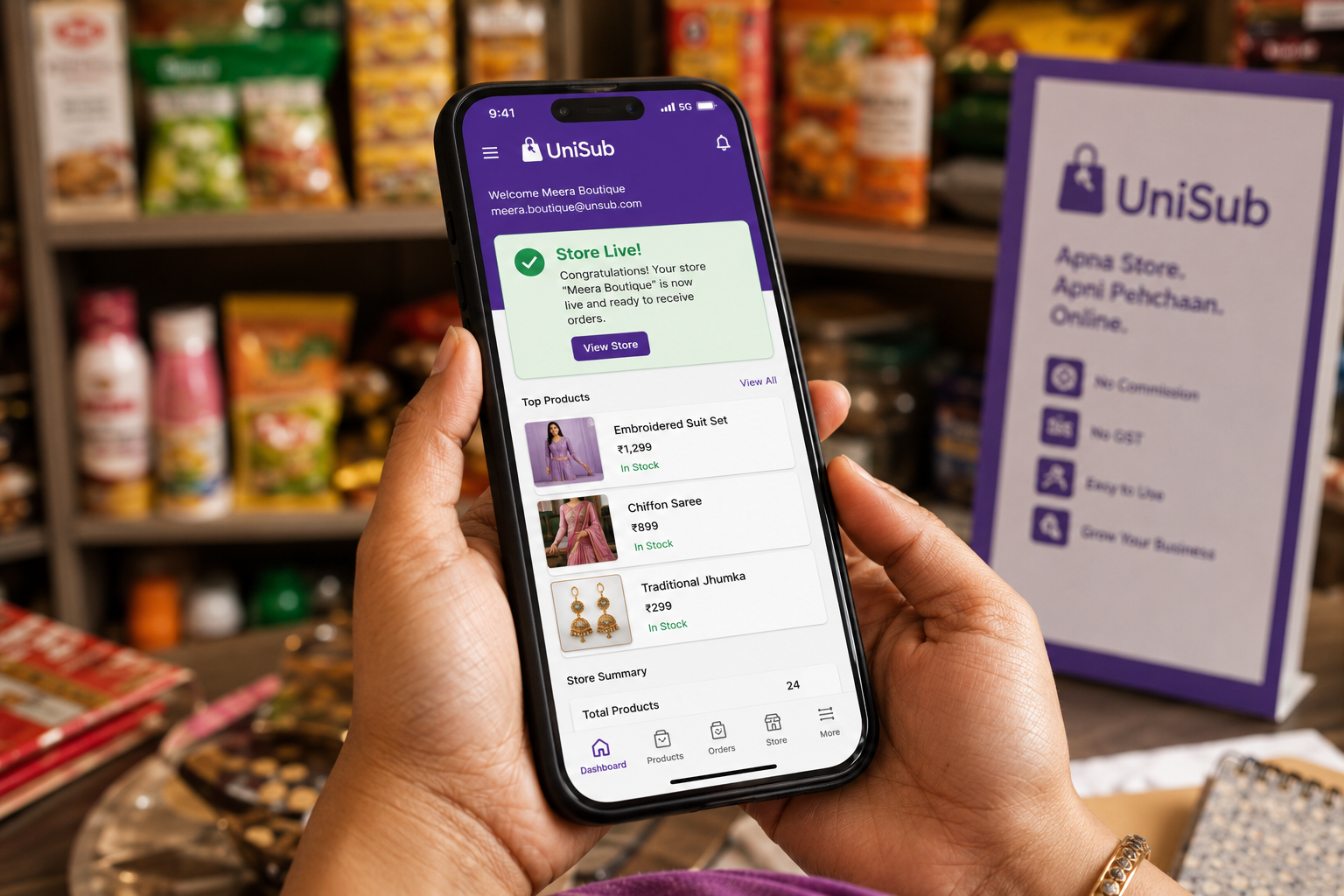
How to Create an Online Store on UniSub – Step‑by‑Step Guide for Indian Sellers
Every day, more small businesses, women entrepreneurs, and creators across India are taking their shops digital. But most popular online selling platforms either charge heavy commissions, demand GST registration upfront, or bury your brand under a marketplace name. That’s why UniSub was built — a 100% Indian platform that empowers local sellers and small businesses to create an online store on UniSub for free, with zero commission, direct customer connections, and doorstep delivery. In this guide, we’ll walk you through every single step to launch your own branded store on UniSub — even if you’ve never sold online before.
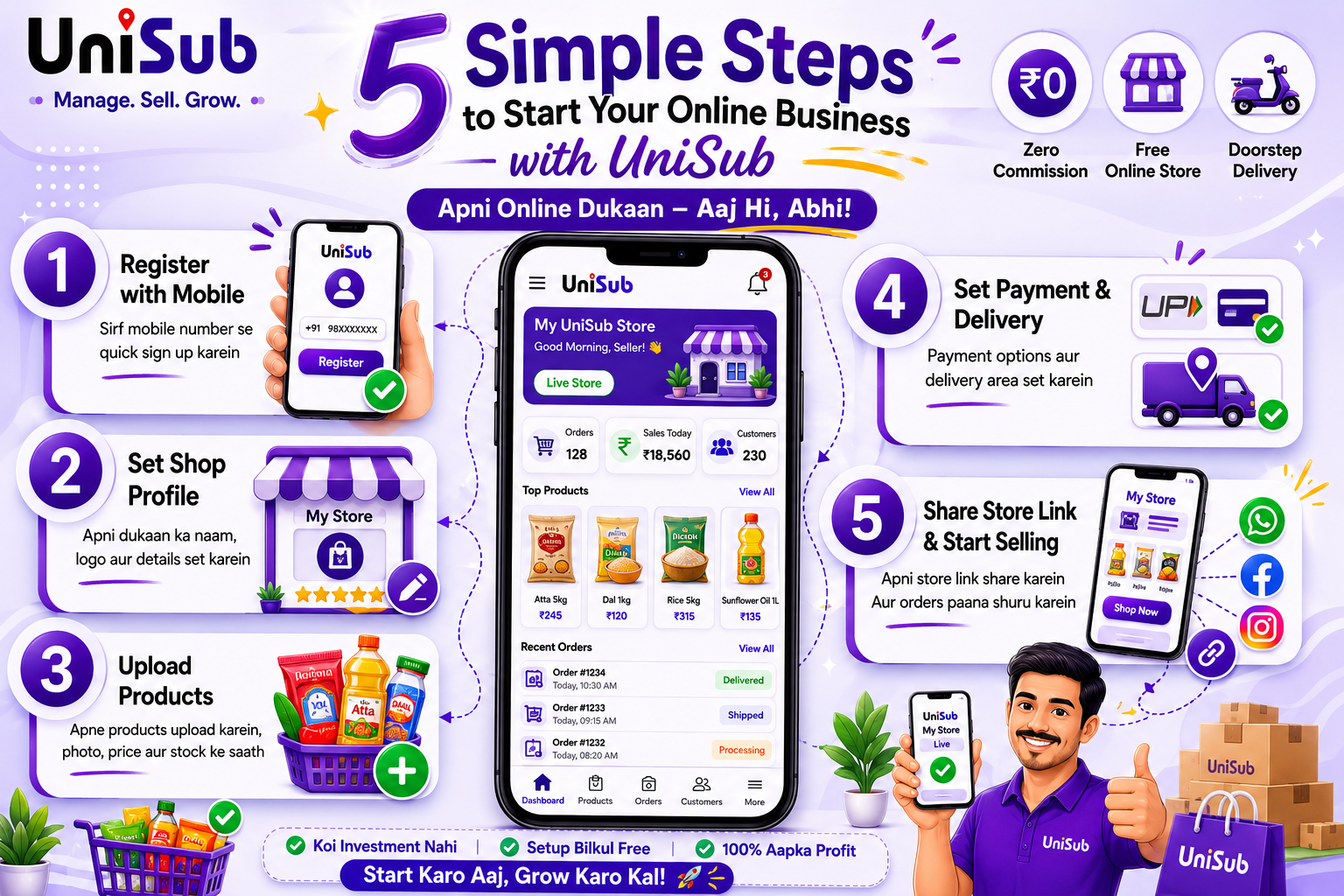
Why Create Your Store on UniSub?
UniSub is not just another listing platform. It’s a local subscription platform and digital marketplace that gives you a complete, branded online storefront where your shop name comes first. You get:
- Zero commission on every sale — 100% profit yours
- Free store setup — no monthly fees, no hidden charges
- Direct payments into your bank account — no middleman holding your money
- Built‑in doorstep delivery — use your own staff or UniSub’s local delivery network
- Subscription engine — create weekly/monthly product boxes for regular recurring income
- Full customer data — phone numbers, order history, and the ability to build real relationships
- Mobile‑first management — add products, update orders, and chat with customers right from your smartphone
Whether you sell groceries in Shamli, fashion in Noida, beauty products in Delhi, sweets in Pune, or handicrafts anywhere in NCR — UniSub helps you buy from nearby stores online and support local businesses India while growing your own digital presence.
Step‑by‑Step: Create Your Online Store on UniSub
Step 1: Visit UniSub and Start Your Seller Registration
Go to unisub.in and tap on the “Become a Seller” or “Merchant Onboarding” option. You’ll land on a simple registration page built for the Indian shopkeeper — no clutter, no jargon.
Step 2: Choose Your Product Category
Selecting the right category helps customers discover your store easily. UniSub covers all local business types:
- Fashion & Jewellery
- Home Décor & Handicrafts
- Beauty & Self‑Care
- Gifts & Custom Creations
- Food & Homemade Products
- Grocery & Daily Essentials
- Pooja Samagri
- Books, Stationery & More
Pick the one that matches your main products. You can always add more categories later from your dashboard.
Step 3: Register Using Your Mobile Number
UniSub’s onboarding is completely mobile‑first. Just enter your mobile number, verify it with the OTP you receive, and fill in your name, shop name, and basic contact details. Within seconds, you’ll land on your personalised Seller Dashboard — the control room for your entire online business.
Step 4: Build Your Shop Profile — The Trust Factor
A complete shop profile builds instant buyer trust. In this step you’ll:
- Upload a shop image — a clear, high‑quality photo that represents your store (could be your physical shop, your products in a neat setup, or a logo).
- Enter your shop address — this helps with local delivery and shows buyers you’re a genuine neighbourhood business.
- Set your working hours — let customers know when you’re available (e.g., Monday–Saturday, 9:00 AM – 8:00 PM).
Once saved, your store’s basic identity is live. UniSub ensures that the entire process requires zero technical knowledge — if you can use WhatsApp, you can build this profile.
Step 5: Upload Your Products — The Fun Part
To make your store visible and start getting orders, you need to list at least 5 products. For each product, simply:
- Add a product name — something clear like “Handmade Kundan Necklace”, “Organic Haldi Powder”, or “Kids’ Cotton Kurta Set”.
- Select the product category and sub‑type.
- Set the MRP — a simple formula: your cost + effort + desired margin.
- Write a short description — mention size, material, how it’s made, care instructions, and what makes it special.
- Upload 2–4 high‑quality photos — click them yourself using a phone against a clean background. Bright, natural light works best. Show different angles and a context shot (product in hand or in use).
Pro Tip: Products with clear, well‑lit images can boost sales probability by up to 60%. You don’t need a professional photoshoot; consistency and honesty win.
Step 6: Activate Payments and Delivery
Once your store is live, you set up how you’ll receive payments and fulfil orders. UniSub gives you complete flexibility:
- Payments: Link your bank account. Customers pay via UPI, cards, net banking, or you can offer Cash on Delivery for local orders. Every rupee lands directly in your account — no commission cut.
- Delivery: You can deliver yourself if you have a local helper, or use UniSub’s built‑in local delivery network. Your customers get doorstep delivery from nearby merchants, which builds loyalty.
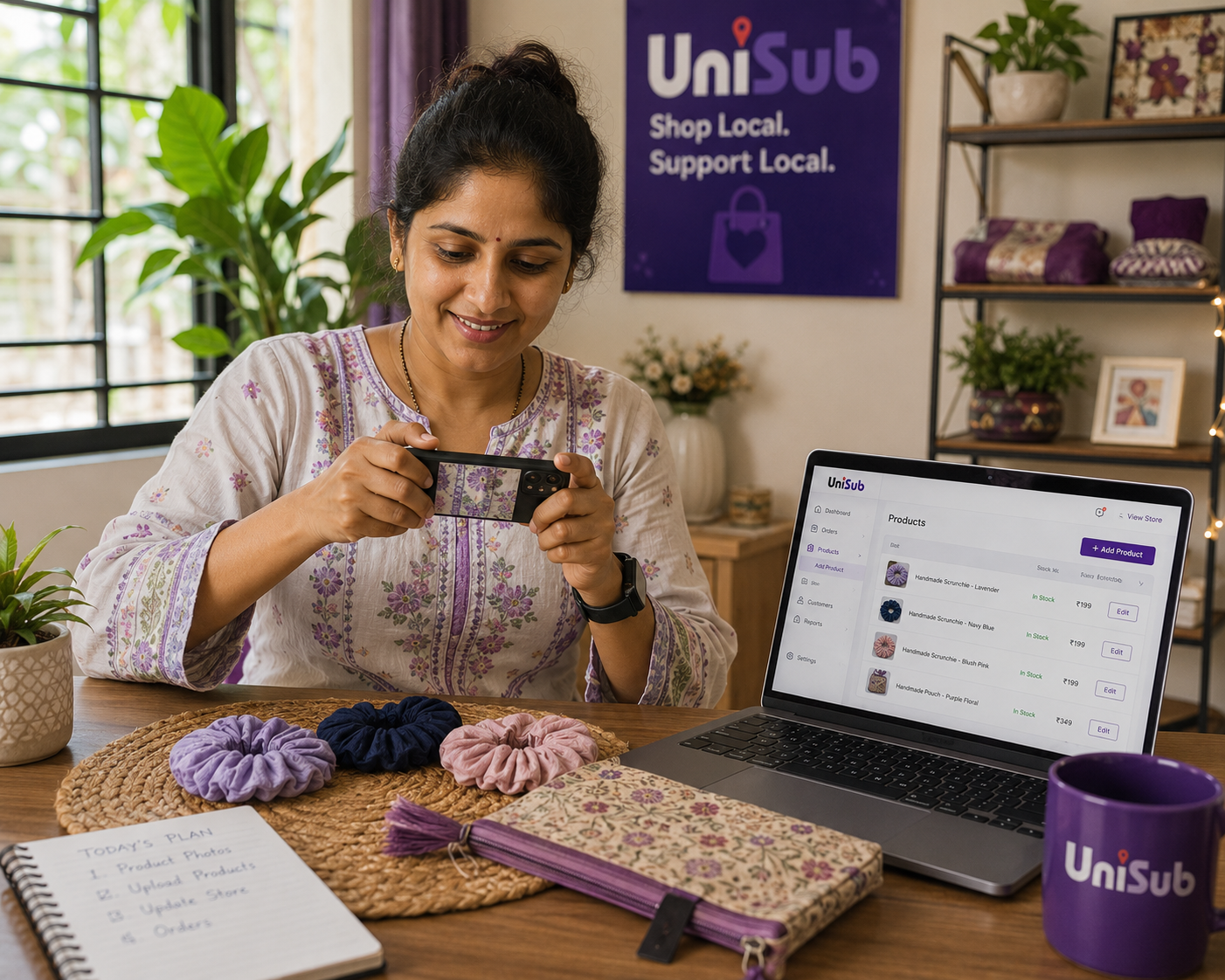
Manage Your Store Anytime, Anywhere — The UniSub Dashboard
UniSub’s seller dashboard is designed for people who run their business on the go. From your phone or desktop, you can:
- Add, edit, or remove products instantly
- Update prices and descriptions
- Track orders and inventory in real time
- View sales performance
- Create discount coupons and special offers
- Respond to customer messages directly
No complex menus. No developer dependency. Just straight‑forward tools that keep you in complete control.
Marketing Tools That Help Your Store Grow
UniSub isn’t just a store builder — it actively helps you attract customers:
- Shareable store link & QR code: Display your QR code on your physical shop counter, product packaging, or share it on WhatsApp and Instagram to bring your existing customers online instantly.
- Discount coupons & freebies: Run promotions to encourage first‑time buyers and reward loyal ones.
- Local discovery: Your store appears in UniSub’s customer app when shoppers in your area search for “buy from nearby stores online”. People looking for a trusted local store find you first.
- Social integration: Seamlessly push your products to your Instagram and Facebook audience without manual copy‑pasting.
Traditional Marketplace vs. Your Own UniSub Store
| Aspect | Large Marketplaces | UniSub – Your Own Store |
|---|---|---|
| Commission | 10–25% per sale | Zero commission |
| GST Requirement | Often mandatory | Enrollment ID for eligible non‑GST sellers , selling within state |
| Brand Identity | Marketplace brand dominates | Your shop name is the hero |
| Customer Data | Hidden – platform owns it | 100% yours – phone, history, preferences |
| Subscription Sales | Not available | Built‑in subscription engine |
Tips to Grow Your UniSub Store Faster
- Use consistent, clean product photos — same background style helps build a recognisable brand.
- Write honest, simple descriptions that focus on what the customer gains, not just features.
- Launch with a small freebie or a “first‑order discount” — it removes hesitation for new buyers.
- Share your store’s QR code everywhere: on invoices, WhatsApp, local newspapers, and packaging.
- Refresh your catalog regularly — even small updates signal that your store is active and trustworthy.
- Respond to customer messages promptly; direct contact is your biggest advantage over impersonal marketplaces.
Frequently Asked Questions
1. How many products should I upload to start my UniSub store?
At least 5 products to make your store visible and appealing. More products mean better discovery, so list whatever you have ready. You can always add more later.
2. Is there any fee to create an online store on UniSub?
No. Creating your store, listing products, and receiving payments is completely free. UniSub charges zero commission on sales. There are no hidden monthly fees.
3. I don’t have GST registration. Can I still sell on UniSub?
Yes. UniSub supports eligible non‑GST sellers with a simple Enrollmetn ID based registration to sell within state until your turnover crosses the GST threshold. You can start selling without GST worries.
4. How soon can I start receiving orders?
As soon as your store is live and you have products listed, you can share your store link. Orders can start coming in within hours if you actively promote it to your network.
5. Do I need to handle delivery myself?
You have two options: deliver personally if you serve a small local area, or use UniSub’s integrated local delivery network to reach customers across your city — perfect for doorstep delivery without hiring a logistics team.
6. Can I really build my own brand, or will I just be another seller?
Your UniSub store carries your shop name, your logo, and your unique identity. Customers contact you directly, not a faceless support team. That’s how real brands are built.
7. How does the subscription box feature work?
You can bundle products into a recurring box (e.g., “Monthly Organic Skincare Kit”). Customers subscribe, and orders are generated automatically at the interval you set. It’s a powerful way to lock in repeat revenue and customer loyalty.
Create Your Online Store on UniSub Today — 100% Free
Join thousands of local shopkeepers, women entrepreneurs, and creators who have already found their digital home. Create your online store on UniSub, list your products, and reach customers across your city — with zero commission, direct payments, and doorstep delivery.
Start Your Free UniSub Store NowYour shop, your brand, your profit — without compromise.
Related Resources & Internal Links
- Online Dukaan Kaise Khole – Apna Online Store Banaye (2026 Guide)
- Ghar Baithe Online Business Kaise Start Kare – Bina Investment Ke
- Best Platform to Sell Products Online in India (2026 Guide)
- Online Kapde Kaise Beche – Apni Fashion Dukaan Banayein
- How UniSub is Revolutionising Local Commerce in India
Your journey from a neighbourhood shop to a recognised digital brand starts with a single click. UniSub’s dedicated seller support team is always ready to help. Let’s grow together.