Create Your Website on UniSub for Free and Get Your Store Online (2026)
Category: Guides
Create Your Website on UniSub for Free and Get Your Store Online
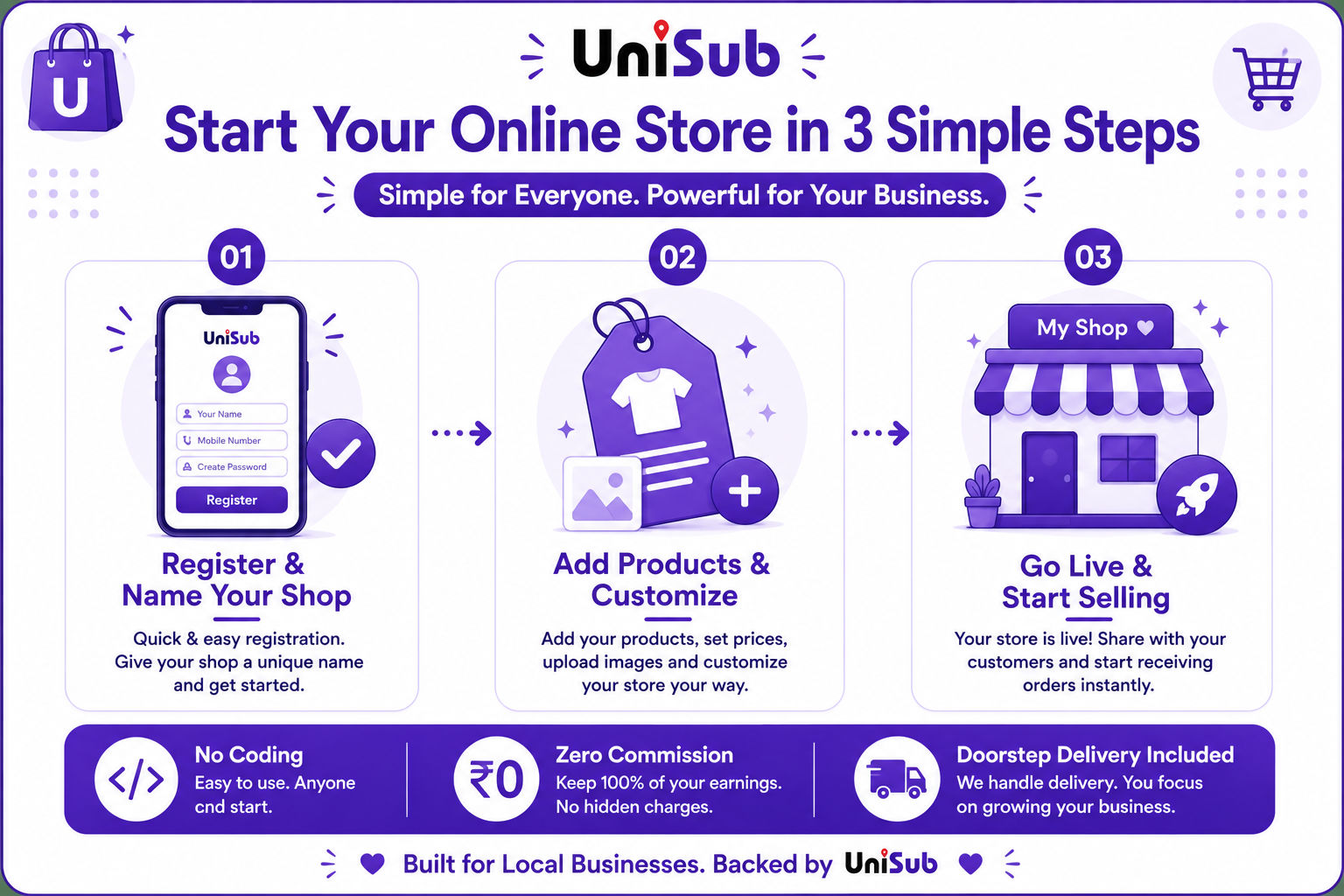
In a world where shopping is just a tap away, having an online store isn’t just an advantage — it’s essential. But for many aspiring sellers, the dream of launching a website gets buried under fears of high costs, technical complexity, and hidden commissions. That’s exactly why UniSub exists. As a local subscription platform built for Indian small businesses, UniSub lets you create a free online store India in minutes — without writing a single line of code or paying any commission. You get a fully branded website, direct customer relationships, doorstep delivery, and powerful subscription tools, all from your mobile phone. Let’s walk through how you can get your store online today, completely free.
Why a Free UniSub Website Beats Expensive Alternatives
Most online selling routes come with a steep price — either in commissions (up to 40% on large marketplaces) or in monthly subscriptions (often thousands of rupees on complex website builders). UniSub flips the model completely. Here’s what you get when you create your free website on UniSub:
- Zero Setup Cost, Zero Commission: No registration fees, no monthly charges, and not a single rupee is deducted from your sales. All payments go directly to your bank account.
- No Coding, No Developer: The entire store builder works from your phone. Choose a design, add your logo, and list products — all with easy‑to‑use tools that require zero technical knowledge.
- Your Brand, Front and Centre: Your website carries your shop’s name. There’s no marketplace logo overshadowing your identity. Customers remember you, and you build your own brand.
- Full Customer Data: You get the buyer’s phone number and order history. Send personalised offers, run your own promotions, and turn one‑time shoppers into lifelong regulars.
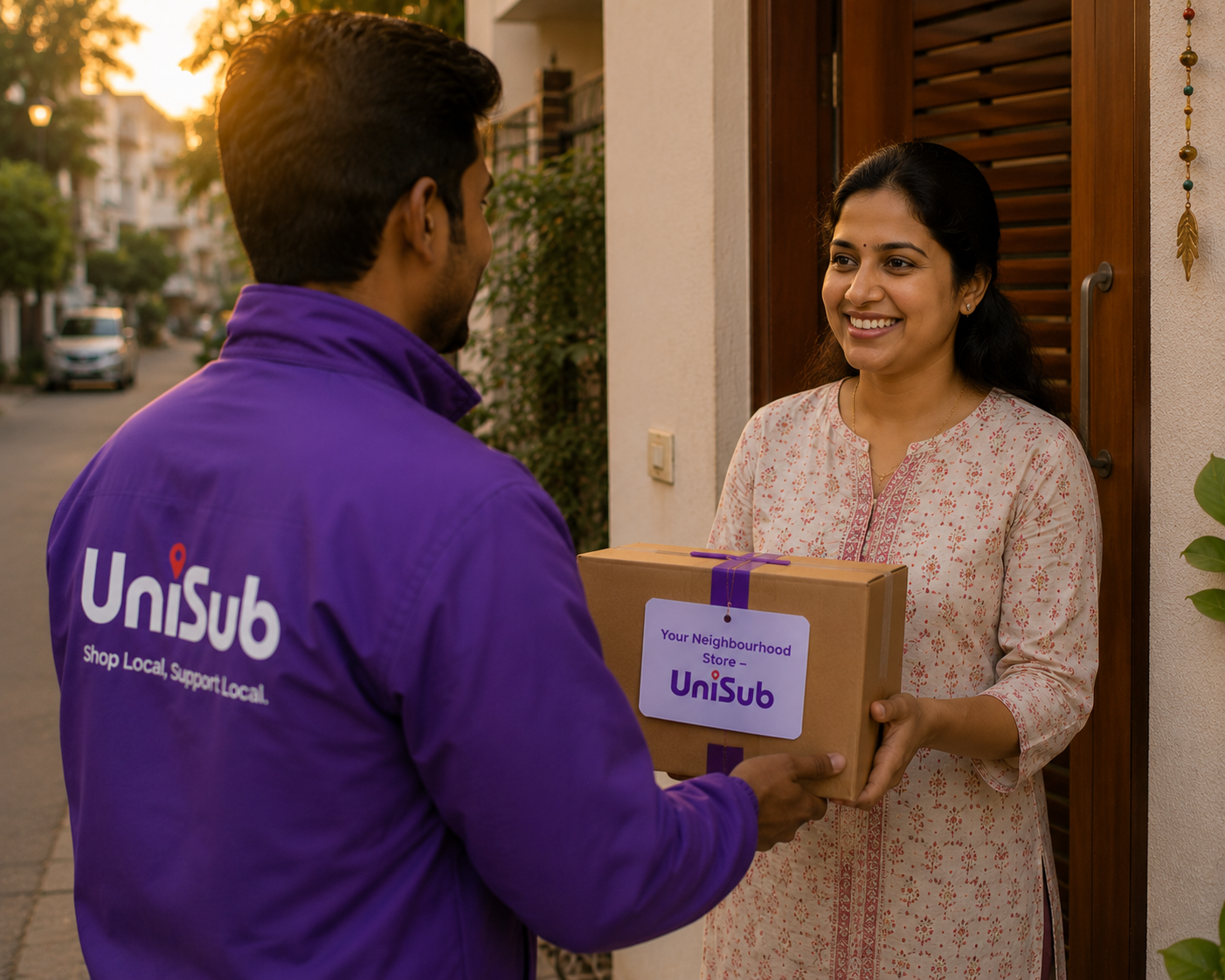
- Built‑in Doorstep Delivery: You decide how to deliver. Hand over orders yourself, let customers pick up from your shop, or use UniSub’s local delivery network for seamless doorstep service across your city.
- Subscription Engine for Recurring Revenue: This is a game‑changer. Create “Weekly Grocery Kits”, “Monthly Beauty Boxes”, or “Daily Dairy Subscriptions”. Customers subscribe, and UniSub automatically places repeat orders — giving you predictable monthly income without any extra marketing.
- Local Discovery & SEO: Your website appears on Google and in UniSub’s local search results, so when people in Shamli, Noida, Delhi, Gurugram, Pune, or NCR look to buy from nearby stores online, they find you.
How to Create Your Free UniSub Website in Minutes
1. Sign Up and Choose Your Shop Identity
Download the UniSub merchant app or visit the website. Enter your mobile number, verify it, and pick a shop name. That’s it — your store dashboard opens instantly.
2. Customize Your Storefront
Upload a shop logo or a cover image. You can select from ready‑made themes that look professional on both mobile and desktop. Set your business hours and store description to make the website feel personal and trustworthy.
3. Add Your Products with Ease
Use your phone camera to click clear product photos. Write simple, honest descriptions and set your prices. The dashboard lets you manage inventory, create categories, and update listings anytime, anywhere.
4. Set Up Payments and Delivery
Link your bank account or UPI ID. UniSub’s integrated payment system accepts UPI, debit/credit cards, net banking, and Cash on Delivery. For delivery, select your preferred method — self‑pickup, own delivery, or UniSub’s delivery partners.
5. Share Your Website and Start Selling
Your store gets a unique URL and a QR code. Share them on WhatsApp, Instagram, Facebook, or print the QR code on your packaging. Customers can browse your products, place orders, and you receive instant notifications.
💜 From Zero to Recurring Income: A home baker in Pune created her free UniSub website, listed her cakes and cookies, and shared the store link in her apartment community group. Within a month, she launched a “Weekly Surprise Dessert Box” subscription. Now she has 35+ weekly subscribers — all from a store that cost her nothing to build.UniSub Free Website vs. Typical Selling Routes
| Feature | Large Marketplaces | Complex Website Builders | UniSub Free Website |
|---|---|---|---|
| Commission | 15–40% per sale | No commission, but high monthly fee | Zero commission, forever |
| Setup Cost & Time | Complex registration | ₹2,500+/month, needs developer | Free, under 10 minutes, no coding |
| Customer Data | Hidden | You own it | Full access – phone, order history |
| Subscription Sales | Not available | Expensive add‑on | Built‑in subscription engine |
| Delivery | Platform‑managed, rigid | Separate logistics apps | Integrated doorstep delivery |
Frequently Asked Questions
1. Is it really free to create a website on UniSub? What’s the catch?
Yes, it’s completely free. There are no setup fees, no monthly charges, and no commission on your sales. UniSub earns through optional value‑added services, never from your hard‑earned revenue.
2. Do I need any technical skills or a laptop?
Not at all. The entire store setup and management can be done from your smartphone. The interface is designed for shopkeepers who are not tech‑savvy. If you can use WhatsApp, you can manage your UniSub website.
3. Can I sell without GST?
If your annual turnover is below the GST threshold (₹40 lakh for most goods)and selling within state then you don’t need GST. UniSub onboards eligible non‑GST sellers with Enrollment ID. You can register for GST later when your business grows.
4. How do customers pay me?
UniSub has a built‑in payment system. Customers can pay via UPI, debit/credit cards, net banking, or Cash on Delivery. The money is settled directly into your bank account.
5. Can I offer subscription boxes on my free UniSub website?
Absolutely. This is one of UniSub’s most powerful features. You can bundle products into a weekly or monthly box, set a recurring schedule, and customers can subscribe. Orders are generated automatically, giving you steady, predictable income.
6. What if I need help setting up my store?
UniSub has a dedicated seller support team ready to assist you through chat, call, or email. You’ll also find helpful guides and tutorials right within the app.
7. Will my store appear on Google?
Yes. UniSub websites are SEO‑optimized, so they get indexed by Google over time. Additionally, your store is visible to customers searching for nearby shops within the UniSub app, giving you double visibility.
Start Building Your Free Online Store Today
There’s nothing standing between you and your own professional website. Create your free online store on UniSub now — zero commission, zero setup cost, doorstep delivery, and subscription tools included. Turn your passion into a profitable business, right from your phone.
Create Your Free UniSub StoreYour products. Your brand. Your profit — completely free, forever.